2026-09-16 · 9 min read
The Church Translation Audio Setup That Actually Works (From the Sound Desk Back)
Bad audio kills translation accuracy before the software ever gets a chance, the exact signal chain, three real setups, and a gear list by budget.
By Josh Stannard, founder of Voco
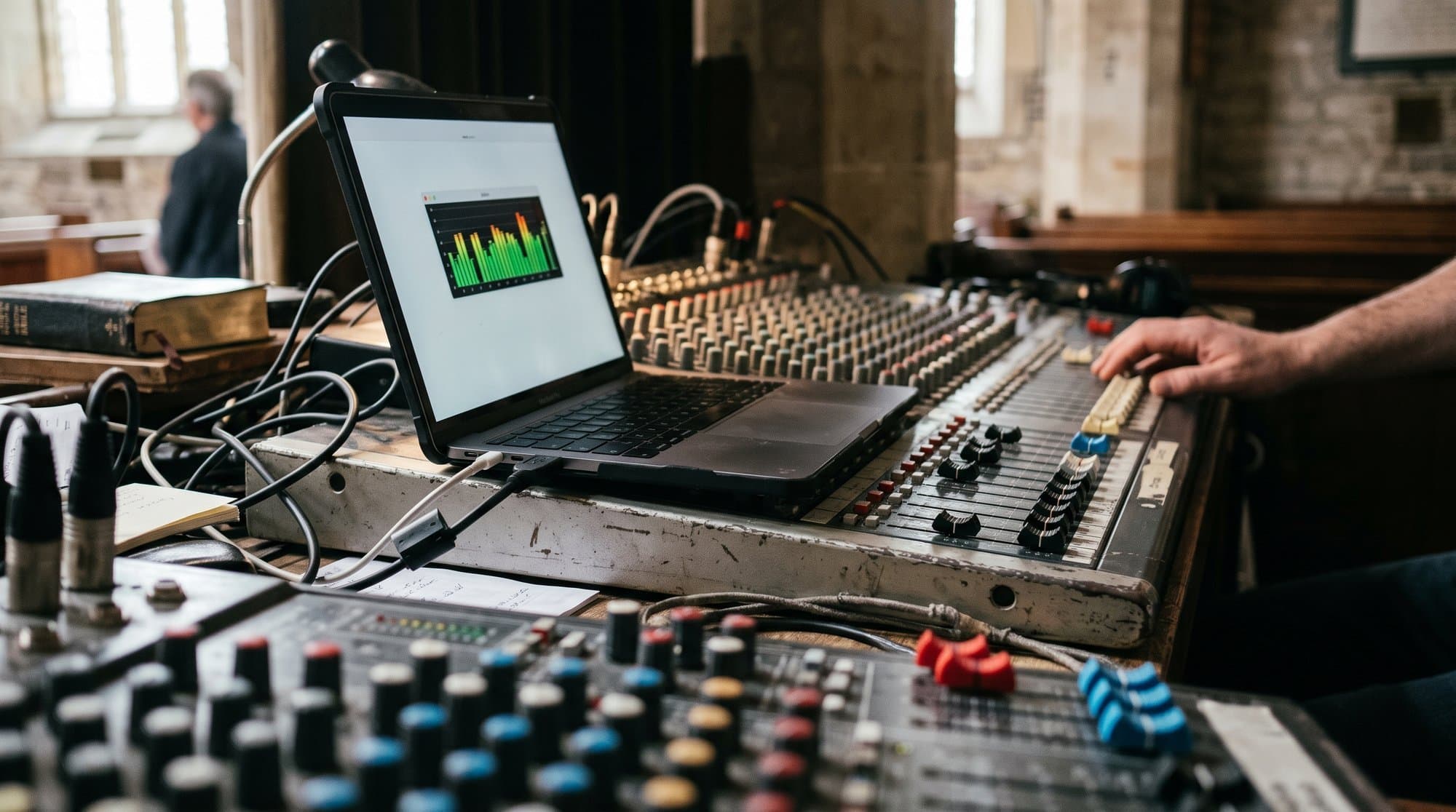
Most churches troubleshoot a bad translation session by blaming the software. Nine times out of ten, the actual fault is three feet upstream, at the point where sound leaves a microphone and enters a laptop. Get that link right and almost any translation tool performs well. Get it wrong and no software, however good, can rescue captions built on a muddy, echoey signal.
This is the audio chain from the sound desk back, three real setups (sound desk USB, laptop mic, wireless lapel), a gear list by budget, and the five-minute check to run before every single service.
Why translation accuracy is 80% audio quality
Translation software, at its core, is transcribing speech and then translating the transcription. Every error at the transcription stage compounds into the translated output, a mumbled word doesn't just stay mumbled, it becomes a confidently wrong word in a second language, which reads as more authoritative than a garbled English caption would. Background noise, echo, and distance from the mic don't degrade translation gracefully; they degrade it in ways that look like the software is simply wrong.
This is why the single highest-leverage thing a church can do for translation accuracy isn't choosing a better tool, it's getting a cleaner feed into whatever tool they've already chosen.
There's a specific reason this catches churches out. Most AV volunteers judge audio quality by how it sounds through the room speakers, not by what actually reaches the laptop running translation. A mix that sounds warm and full to the congregation can still be feeding the translation software a signal loaded with reverb, band bleed, and room noise, because the room mix and the translation feed are, in effect, two different products built from the same source. Optimising one doesn't automatically optimise the other.
The signal chain
The path is always the same shape, regardless of which specific setup you use:
Preacher's mic → sound desk → USB/aux out → laptop or phone running translation software → congregation's phones via QR code
Each link in that chain is a place signal quality can be lost. A lapel mic clipped too far from the mouth loses clarity at the very first link. A desk with a noisy aux output degrades it at the second. A laptop mic input set too low or too high introduces clipping or hiss at the third. The translation software only ever sees what survives all three, it can't recover detail that never made it through.
If your church already runs OBS, ProPresenter, or vMix for streaming or slides, you likely have a usable audio tap already built into your workflow, worth checking before you buy anything. These tools often expose an audio output or virtual audio device that can be routed straight into a laptop's input, sidestepping the need for a second physical cable run from the sound desk. It's worth five minutes with whoever manages your streaming setup to ask whether that route already exists before assuming you need new hardware.
Three setups
Setup A: sound desk USB
If your sound desk has a USB output (most digital desks built in the last decade do), this is the best option available. It takes a clean digital signal already mixed and levelled by your existing desk, and sends it straight to a laptop with no extra conversion or degradation in between.
Best for: any church that already has a digital mixing desk, regardless of size. This is the setup to reach for first if the option exists.
What to watch for: make sure the specific channel or bus routed to USB is the preacher's mic, not the full room mix, you want speech isolated, not speech plus the worship band plus room ambience. Most digital desks let you create a dedicated auxiliary or matrix bus just for this purpose, separate from the main house mix, so the translation feed doesn't rise and fall with every fader move the sound engineer makes during the service.
Also worth checking: some desks default their USB output to a fixed, unchangeable gain level, which means the only way to adjust the level reaching the laptop is inside the desk's own routing menu, not at the laptop end. If your captions seem consistently too quiet or too loud regardless of laptop settings, this is usually where the problem actually lives.
Voco's sound desk USB setup guide walks through the specific settings for common desk models.
Setup B: laptop mic (small church)
For churches without a digital desk, or without desk access to the laptop running translation software, a laptop's built-in mic, positioned close to the speaker, is a workable fallback. Not ideal, but genuinely usable for a smaller room.
Best for: small churches, home groups, or a church testing translation for the first time before investing in better gear.
What to watch for: distance matters enormously here. A laptop mic three metres from the preacher, picking up the whole room, produces a noticeably worse feed than the same laptop positioned a metre away with the room's natural echo minimised. If the laptop can sit on a stand near the front rather than at the back sound desk, do that.
Also worth checking: laptop mics are usually tuned by the manufacturer to suppress background noise for video calls, which sounds helpful but can work against you here. Some models will quietly duck or gate the mic during pauses in speech, then reopen with a slight delay when the preacher starts talking again, clipping the first word or two of a sentence. If captions consistently miss the opening word of a new sentence, this is a common cause. Check your laptop's sound settings for any "noise suppression" or "voice isolation" toggle and try turning it off.
Voco's laptop microphone setup guide covers positioning and settings in more depth.
Setup C: wireless lapel receiver
A dedicated wireless lapel mic and receiver, with the receiver's output run into a laptop or phone directly (separate from, or in addition to, the main sound system). This decouples the translation feed entirely from the room's PA system, which means room echo and PA feedback never enter the translation chain at all.
Best for: medium to large churches, or any setup where the preacher moves around rather than staying near a fixed pulpit mic.
What to watch for: interference from other wireless systems in the building (in-ear monitors, other lapel mics) can degrade a wireless signal in ways a wired connection never suffers from. Worth testing on the actual frequencies your building uses, not just assuming it'll work because it worked at a different venue.
Also worth checking: clip placement on the actual person wearing the mic matters more than the spec sheet suggests. A lapel mic clipped low on a lanyard or below a jacket lapel picks up muffled, chest-heavy audio very different from the same mic clipped a few inches from the mouth on a collar. If your preacher moves around a lot, a quick fit check before the service, not just a battery check, is worth the extra thirty seconds.
Voco's wireless lapel receiver setup guide has the specific pairing and channel-selection steps.
Common mistakes that quietly wreck a good setup
Assuming a mic that sounds fine in the room sounds fine on the translation feed. These are genuinely different signals, tested differently. Always listen back to the feed the laptop is actually receiving, not just the room mix.
Skipping the check because "it worked last week." Batteries die overnight, cables work loose during a Saturday setup, someone unplugs a USB cable to charge a phone and forgets to plug it back in. Nothing about last week's success guarantees this week's setup is still intact.
Routing the full room mix instead of an isolated speech channel. This is the single most common setup mistake on desks with USB out. It's an easy thing to overlook once, and easy to forget you overlooked it every week after.
Treating audio as a one-off setup task rather than an ongoing check. Gear degrades, cables fray, firmware updates change default settings without warning. Revisit the setup properly every few months, not just when something visibly breaks.
The pre-service five-minute audio check
Copy this and run it every Sunday, before the service starts, not after something's already gone wrong.
FIVE-MINUTE PRE-SERVICE AUDIO CHECK

[ ] Confirm mic is powered on and battery/connection is good
[ ] Have someone speak a full sentence from the actual preaching position
[ ] Check the input level on the laptop/software, not clipping, not silent
[ ] Read the live captions produced from that test sentence
[ ] Confirm captions are accurate, no dropped words, no garbled names
[ ] Check lag between speech and caption appearing (should be under 2-3 seconds)
[ ] Confirm the QR code is displaying and scannable from the back row
[ ] Scan the QR code yourself and confirm captions appear correctly on a phone
[ ] Note the name of whoever is monitoring the session during the service
If any single item on that list fails, fix it before the service starts. A five-minute check on a bad Sunday is far cheaper than a service full of garbled captions that nobody catches until the feedback comes in afterwards.
Gear list by budget
| Budget | Setup | What's included | Notes |
|---|---|---|---|
| £0 | Laptop mic | Existing laptop, no extra purchase | Workable for small rooms; positioning does the heavy lifting |
| £50 | Basic USB lapel mic | A budget USB-connected lapel or clip mic plugged straight into the laptop | Good middle ground if there's no digital desk with USB out |
| £200 | Wireless lapel + receiver | A proper wireless lapel mic system with dedicated receiver, output run to laptop | Best signal quality for a moving speaker; check for interference from existing AV gear |
In short:
- If you already have a digital sound desk with a USB output, use it, it's free and it's the best signal you'll get.
- If you don't, a £50 wired USB lapel mic beats a laptop's built-in mic in almost every case.
- If your preacher moves around and you have £200 to spend, a wireless lapel and receiver setup removes room echo from the equation entirely.
- Whatever setup you choose, run the five-minute check every single week, gear that worked last Sunday can fail silently (a battery dying, a cable working loose) without anyone noticing until the captions go wrong live.
Getting this into a translation session
Once the audio chain is sorted, feeding it into live translation software is the easy part, Voco, for instance, just needs the input source selected in the browser dashboard, no separate audio routing software required. Full disclosure: I built Voco, one of the tools mentioned here; the audio principles above apply just as much if you're using a different translation tool, since audio quality sits upstream of whichever software receives it.
Good translation audio isn't glamorous work. It's a cable routed correctly, a mic positioned a few inches closer than it was last month, and a five-minute check nobody skips. Get that right consistently and the rest of the setup, software, languages, QR codes, mostly takes care of itself.
Frequently asked questions
What should churches know about why translation accuracy is 80% audio quality?
Translation software, at its core, is transcribing speech and then translating the transcription. Every error at the transcription stage compounds into the translated output, a mumbled word doesn't just stay mumbled, it becomes a confidently wrong word in a second language, which reads as more authoritative than a garbled English caption would. Background noise, echo, and distance from the mic don't degrade translation gracefully; they degrade it in ways that look like the software is simply wro
What should churches know about the signal chain?
The path is always the same shape, regardless of which specific setup you use:
What should churches know about three setups?
If your sound desk has a USB output (most digital desks built in the last decade do), this is the best option available. It takes a clean digital signal already mixed and levelled by your existing desk, and sends it straight to a laptop with no extra conversion or degradation in between.
What should churches know about common mistakes that quietly wreck a good setup?
Assuming a mic that sounds fine in the room sounds fine on the translation feed. These are genuinely different signals, tested differently. Always listen back to the feed the laptop is actually receiving, not just the room mix.
First published on Medium.