
Where live Spanish captions fit best
Spanish captions are useful in three common church settings: people reading privately on their phone, lower-third captions on a livestream, and large on-screen captions for the whole room. Each setting needs the same live translation source, but a slightly different display style.
- Phone reader: best for guests who want Spanish privately without being singled out.
- Lower thirds: best for livestreams, overflow rooms, and screen overlays.
- Full screen captions: best when a whole gathering or group needs Spanish text together.
The simple Voco workflow
- 1Set the speaker languageChoose the language being spoken from the pulpit. If the preacher speaks English, Voco listens in English and translates into Spanish. If the preacher speaks Spanish, Voco can translate back into English too.
- 2Enable Spanish as an output languageAdd Spanish from the language selector. Churches can offer Spanish on its own or alongside Portuguese, French, Farsi, Mandarin, and other language needs.
- 3Choose where captions appearUse the QR-code reader for phones, Display Studio for screen previews, or the OBS/ProPresenter browser source for livestream and projector captions.
- 4Run a short sound checkSpeak a few normal sermon sentences and check the Spanish output. Clear audio matters more than expensive equipment.
Real Voco screens · demonstration data
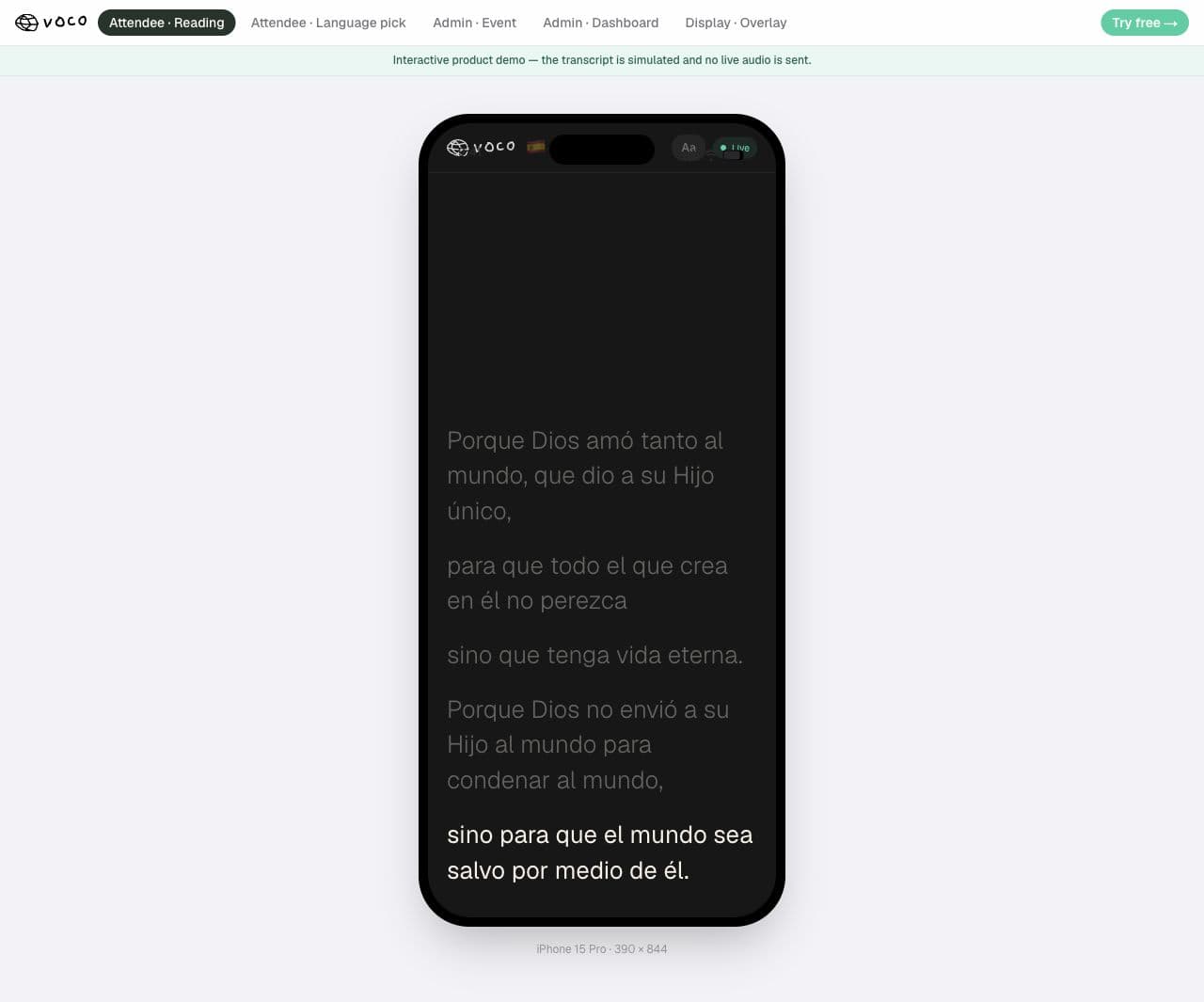
This is what an attendee actually sees.
This real Voco reader is showing a Spanish demonstration. Each person opens the church link, chooses their language and follows the live sermon privately on their own phone.
Spanish demonstration shown
No app. No attendee login. Just the church link and a language choice.
Phone captions versus screen captions
Phone captions are usually the most welcoming starting point because each person can choose Spanish without drawing attention. Screen captions are better when a whole group needs the same language, or when you want Spanish visible in your livestream. Many churches use both: QR code for the room, lower thirds for online viewers.
How to make Spanish captions feel natural
- Announce translation as a normal welcome feature, not as a special exception.
- Use a permanent QR code where possible so Spanish-speaking members know where to go each week.
- Add key names and theological terms to your glossary before a sermon series.
- Ask one Spanish-speaking member to review the first week and tell you what felt unclear.