
Why 'no app download' matters more than it sounds
Research on technology adoption shows that each additional step reduces uptake significantly. Asking a 70-year-old first-time visitor to find the App Store, search for a specific app, download it, create an account, and then use it during the service — before the sermon even starts — is asking too much. Browser-based translation removes every one of those steps. Scan. Choose language. Read.
How browser-based translation works
Modern web browsers are capable of handling the real-time text streaming that live translation requires. Voco uses WebSockets — the same technology behind live sports scores and chat apps — to push translated text to every attendee's browser the moment it's available. No app required, no native code, no installation.
Real Voco screens · demonstration data
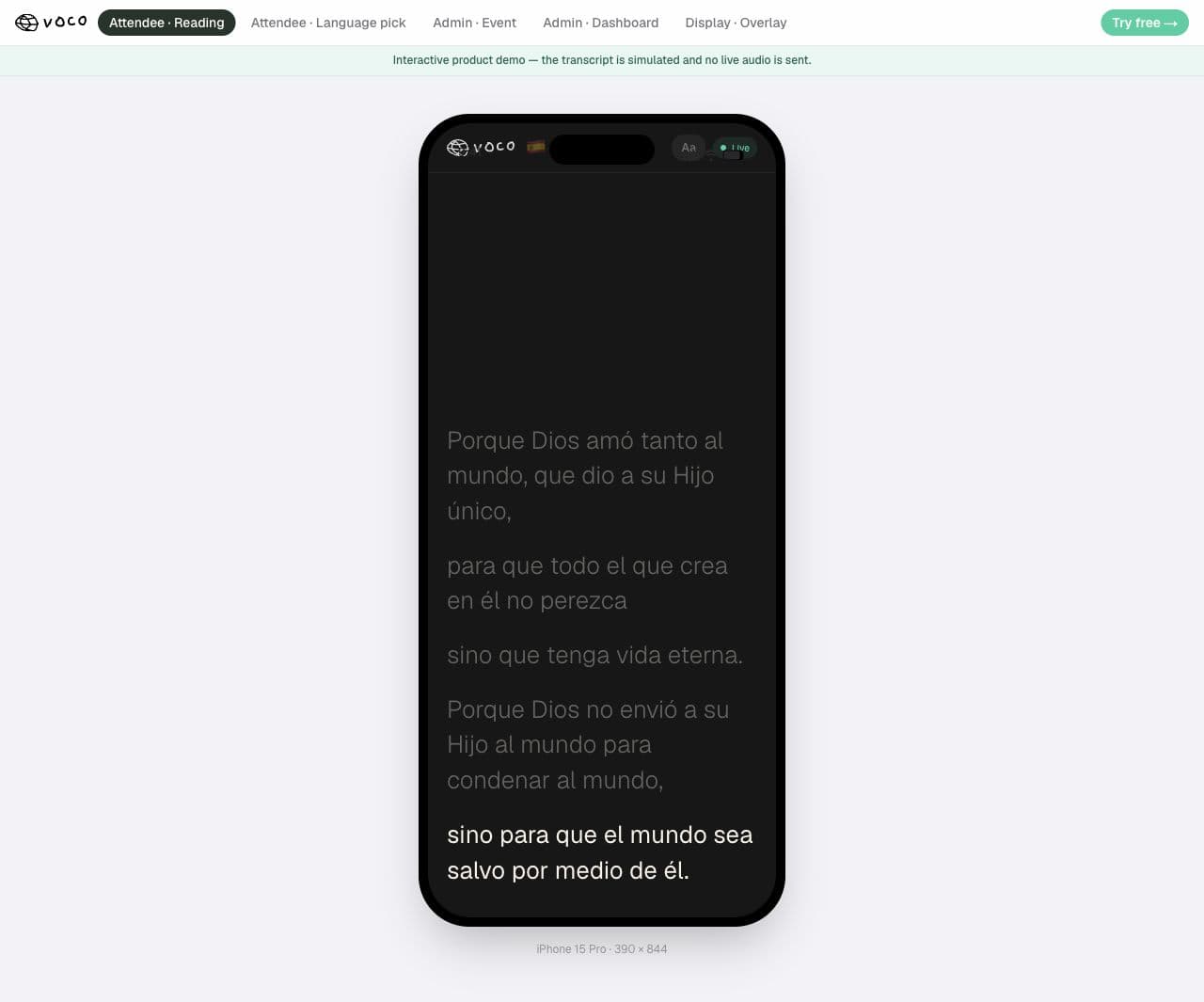
This is what an attendee actually sees.
This real Voco reader is showing a Spanish demonstration. Each person opens the church link, chooses their language and follows the live sermon privately on their own phone.
Spanish demonstration shown
No app. No attendee login. Just the church link and a language choice.
Does it work on older phones?
Browser-based translation works on any phone with a modern browser — which means anything running iOS 14+ or Android 8+ (both released in 2017–2019). The vast majority of congregants' phones qualify. The attendee reader is lightweight by design — it loads in under 2 seconds even on a slow connection.
Which tools offer no-app translation?
Voco, Glossa, Wordly, and LiveSunday all offer browser-based no-download translation for attendees. Kaleo AI has a browser-based caption option but its audio translation requires the app.