2026-09-07 · 10 min read
How to Translate a Church Service Live: A Step-by-Step Guide for Normal Churches
No interpreter, no five-figure budget, no app to install, here's exactly how to get live translation running for Sunday, done by ordinary volunteers.
By Josh Stannard, founder of Voco
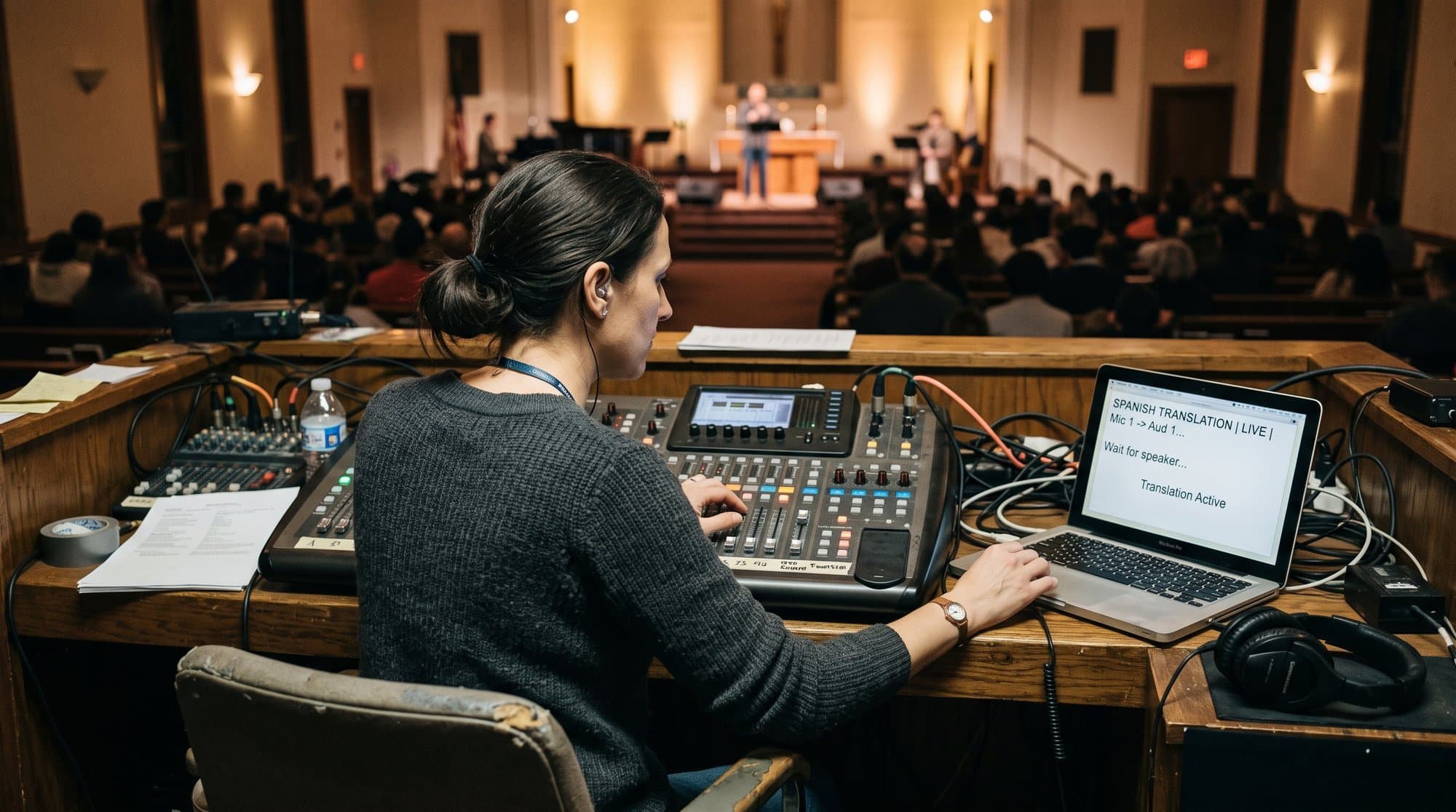
It's Thursday night. You've just found out three Ukrainian families are coming this Sunday, and the visiting speaker doesn't speak a word of their language. No interpreter booked, no budget for one, and Sunday is in 60 hours. This is how you actually get live translation running, no app for anyone to download, no five-figure equipment order, and nothing that requires an AV degree.
You need three things: a mic feed, wifi, and a phone or laptop. That's genuinely it. Everything below is the walkthrough from "nothing set up" to "translation live and tested", written so a volunteer with no technical background can follow it on a Thursday evening and have it working by Sunday morning.
What you need
A mic feed. Something carrying the preacher's voice, a lapel mic, a handheld, or a feed straight from the sound desk. If your church already mics the sermon for the room speakers or a recording, you already have this.
Wifi that reaches the congregation. Live translation needs a connection for the software doing the translating and, depending on setup, for people in the room reading captions on their phones. Church wifi that already covers the sanctuary is enough.
A phone or laptop to run the software. This is the device that listens to the mic feed and produces the translated text. It doesn't need to be powerful, a five-year-old laptop or a mid-range phone handles it fine.
That's the full requirements list. No app installs for the congregation, no headsets to charge, no interpreter booth.
Compare that against what churches assume they need before they've actually looked into it: a trained interpreter booked weeks in advance, a headset system costing thousands, an AV volunteer with formal training. None of that is wrong for a church that's ready to invest in it long-term, but it's not what's needed to get something working for this coming Sunday, which is usually the actual, urgent problem.
Step 1-6: the walkthrough
Step 1: Get the audio in
The single biggest factor in translation accuracy is audio quality, not the software. A clean, close mic feed beats an expensive tool fed by a room mic picking up echo and rustling programmes every time. The cleanest options, in order of preference:
- USB output straight from the sound desk (if your desk has a USB out, this is the best signal you'll get)
- A dedicated lapel or headset mic on the speaker, run to a laptop mic input
- As a last resort, a phone propped near the front, using its own mic, workable for a small room, rough for anything bigger
If you're doing this for the first time on a genuinely tight timeline, don't let the audio question stall you: a laptop mic positioned close to whoever's speaking is a legitimate starting point, not a compromise you need to apologise for. You can upgrade the signal chain in week two once you've seen the whole thing work end to end.
Worth naming explicitly what "clean" means in practice: minimal background noise (the worship band, the coffee machine, the children's ministry room next door), the speaker's mouth reasonably close to the mic, and no competing sound source at a similar volume. A room mic picking up the whole sanctuary, echo and all, is the single most common reason a first attempt at live translation disappoints everyone involved.
Step 2: Choose and set up the software
Open a browser-based live translation tool on the laptop or phone that's taking the audio feed. With Voco, this means logging into the dashboard, selecting the source language (English, say) and starting the session, no download, no install, nothing for the congregation to do on their end either. Full disclosure: I built Voco, the tool used in this walkthrough. Whichever tool you use, check it supports the languages you actually need this Sunday, Voco covers 50+, and that it's tuned to handle church-specific vocabulary (words like "sanctification" or "the Beatitudes" trip up general-purpose translation tools that were built for business meetings, not sermons).
Step 3: Set up the QR display
Once the session's running, the software generates a QR code and a session link. Put the QR code somewhere visible and static for the whole service, the screen slide before the service starts, a printed card on the seat backs, or both. Anyone who scans it opens a browser page showing live captions in their chosen language. No app, because it's just a webpage.
Think about where people actually look. Most visitors scan the code before the service starts, while they're settling into a seat and checking their phone anyway, which means the QR slide needs to be up well before the opening song, not flashed briefly between announcements. A printed card at each seat solves this more reliably than relying on a screen slide alone, especially in a room where sightlines to the screen aren't equally good from every seat.
Step 4: Test it, properly, before Sunday
Not a five-second check. Run the actual sermon audio, a recording of last week's, or someone reading a passage aloud from the front, through the full chain: mic to desk to laptop to translated captions on a phone. Read the captions yourself. Is the lag under a couple of seconds? Is theological vocabulary translating sensibly, or mangling? Is the QR code readable from the back row, not just from the sound desk? Fifteen minutes of real testing on Thursday saves an hour of panic on Sunday.
Step 5: Run it live on Sunday
Start the session a few minutes before the service, not at the exact moment the sermon starts, this gives latecomers time to scan the code while they're finding a seat, and gives you a moment to confirm the feed is live before it matters. Have one person (doesn't need to be technical) watching the session dashboard during the service in case the connection drops.
Step 6: Review afterwards
Ask the people who used it. Not just "did it work" but specifics: was the lag noticeable, was the vocabulary right, was the QR code easy to find. The first Sunday is a pilot, not a verdict, most of what breaks in week one gets fixed by week three.
It's worth asking someone specifically, rather than waiting for feedback to arrive unprompted. People who've just been served by a new accommodation are often reluctant to criticise it, especially in week one, out of politeness or gratitude that the effort was made at all. A direct question, "was anything confusing or hard to follow?", gets more useful answers than "how did that go for you?"
The audio quality section
Worth repeating on its own, because it's the single thing most likely to sink a first attempt: translation accuracy is overwhelmingly an audio problem, not a software problem. A translation engine fed a clean signal will handle a sermon well. The same engine fed a muddy, echoey, background-noise-heavy signal will produce captions that drift, garble names, and lose whole sentences, and the congregation will (fairly) blame "the translation" when the real fault is upstream of it entirely.
If you do nothing else from this guide, do this: get the cleanest possible feed into whatever software you choose. It's the highest-leverage five minutes of the whole setup.
Launch-day checklist
Copy this, print it, stick it by the sound desk.
LIVE TRANSLATION, LAUNCH DAY CHECKLIST

BEFORE SUNDAY (Thursday/Friday)
[ ] Confirm mic feed source (desk USB / lapel / laptop mic)
[ ] Confirm wifi covers the sanctuary and can handle expected phone count
[ ] Set up translation software account and select languages needed
[ ] Run a full test: real audio → software → captions on a phone
[ ] Print or slide the QR code, check it's readable from the back row
[ ] Assign one person to monitor the session during the live service

SUNDAY MORNING (30 minutes before)
[ ] Power on and connect the mic feed
[ ] Start the translation session
[ ] Test the QR code scans and shows live captions
[ ] Display the QR code on screen / seats before service starts
[ ] Confirm the assigned monitor knows where the dashboard is

DURING THE SERVICE
[ ] Monitor session for dropouts or lag
[ ] Note any vocabulary or accuracy issues for review

AFTER THE SERVICE
[ ] Ask 2-3 users for direct feedback
[ ] Log any technical issues for next week
[ ] End the session cleanly
Voco's own quick-start guide and live event checklist cover the same ground in more depth if you want the reference version to keep bookmarked.
Troubleshooting the first month
The QR code isn't getting scanned. Usually a visibility problem, not a technical one. Move it earlier in the pre-service slides, make it bigger, and have a greeter mention it verbally as people arrive.
Lag feels worse some weeks than others. Almost always wifi congestion, more phones connecting at once than the network's used to. If it's a recurring issue, talk to whoever manages your church wifi about capacity, not the translation software.
Certain words keep translating wrong. Flag them. Most translation tools, Voco included, are more accurate with everyday theological vocabulary than general-purpose translators, but no tool gets every hymn title or denominational term right first time. This is a "note it and check next week" problem, not a dealbreaker.
One language group stops showing up to scan the code. Worth asking why directly rather than assuming the tech is fine. Sometimes it's a literacy issue (captions assume reading fluency, which not everyone in every language group has), sometimes it's simply that nobody told them it existed.
People say it "feels impersonal." A phone screen during a service can read as distancing if it's not framed well. This is less a technology problem than a communication one, explaining once, clearly, why the tool exists ("so everyone can follow along, whatever language they're most comfortable in") tends to reframe it as care rather than a gadget. Pairing it with a warm human welcome, not instead of one, matters more than the software itself.
The person monitoring the session doesn't know what to do if something breaks mid-service. Write down, in advance, the two or three most likely failures (wifi drops, mic battery dies, session disconnects) and the fix for each. A one-page cheat sheet taped inside the sound desk removes the need for anyone to problem-solve live, under pressure, in front of a full room.
What "good enough for Sunday" actually looks like
It's worth being honest about the bar you're aiming for in week one, because perfectionism is what stops most churches from starting at all. Good enough for a first Sunday means: the mic feed is reasonably clean, the captions are broadly readable even if the odd word is off, the QR code works when scanned, and someone's watching the session in case it drops. It does not mean flawless translation of every idiom and theological turn of phrase, that standard doesn't exist yet for any software, and it's not the bar a trained human interpreter clears every week either.
Set that expectation with your team before Sunday, not after. A volunteer expecting perfection will read the first hiccup as failure and want to shelve the whole effort. A volunteer expecting "clearly better than nothing, with room to improve" will treat the same hiccup as exactly what week one looks like, and come back to refine it in week two.
Live translation doesn't need to be perfect in week one. It needs to be genuinely better than the alternative, which, for most churches facing this on a Thursday night, is no translation at all. Start there, and refine from a working baseline instead of waiting for a setup that never quite feels ready.
Frequently asked questions
What should churches know about what you need?
A mic feed. Something carrying the preacher's voice, a lapel mic, a handheld, or a feed straight from the sound desk. If your church already mics the sermon for the room speakers or a recording, you already have this.
What should churches know about step 1-6: the walkthrough?
The single biggest factor in translation accuracy is audio quality, not the software. A clean, close mic feed beats an expensive tool fed by a room mic picking up echo and rustling programmes every time. The cleanest options, in order of preference:
What should churches know about the audio quality section?
Worth repeating on its own, because it's the single thing most likely to sink a first attempt: translation accuracy is overwhelmingly an audio problem, not a software problem. A translation engine fed a clean signal will handle a sermon well. The same engine fed a muddy, echoey, background-noise-heavy signal will produce captions that drift, garble names, and lose whole sentences, and the congregation will (fairly) blame "the translation" when the real fault is upstream of it entirely.
What should churches know about launch-day checklist?
BEFORE SUNDAY (Thursday/Friday) [ ] Confirm mic feed source (desk USB / lapel / laptop mic) [ ] Confirm wifi covers the sanctuary and can handle expected phone count [ ] Set up translation software account and select languages needed [ ] Run a full test: real audio → software → captions on a phone [ ] Print or slide the QR code, check it's readable from the back row [ ] Assign one person to monitor the session during the live service
First published on Medium.