2026-09-07 · 8 min read
Spf.io Review (2026): The Honest Take Nobody Has Written
Strong captions, real text-to-speech dubbing, and a $199/month starting price. Here's who spf.io actually suits.
By Josh Stannard, founder of Voco
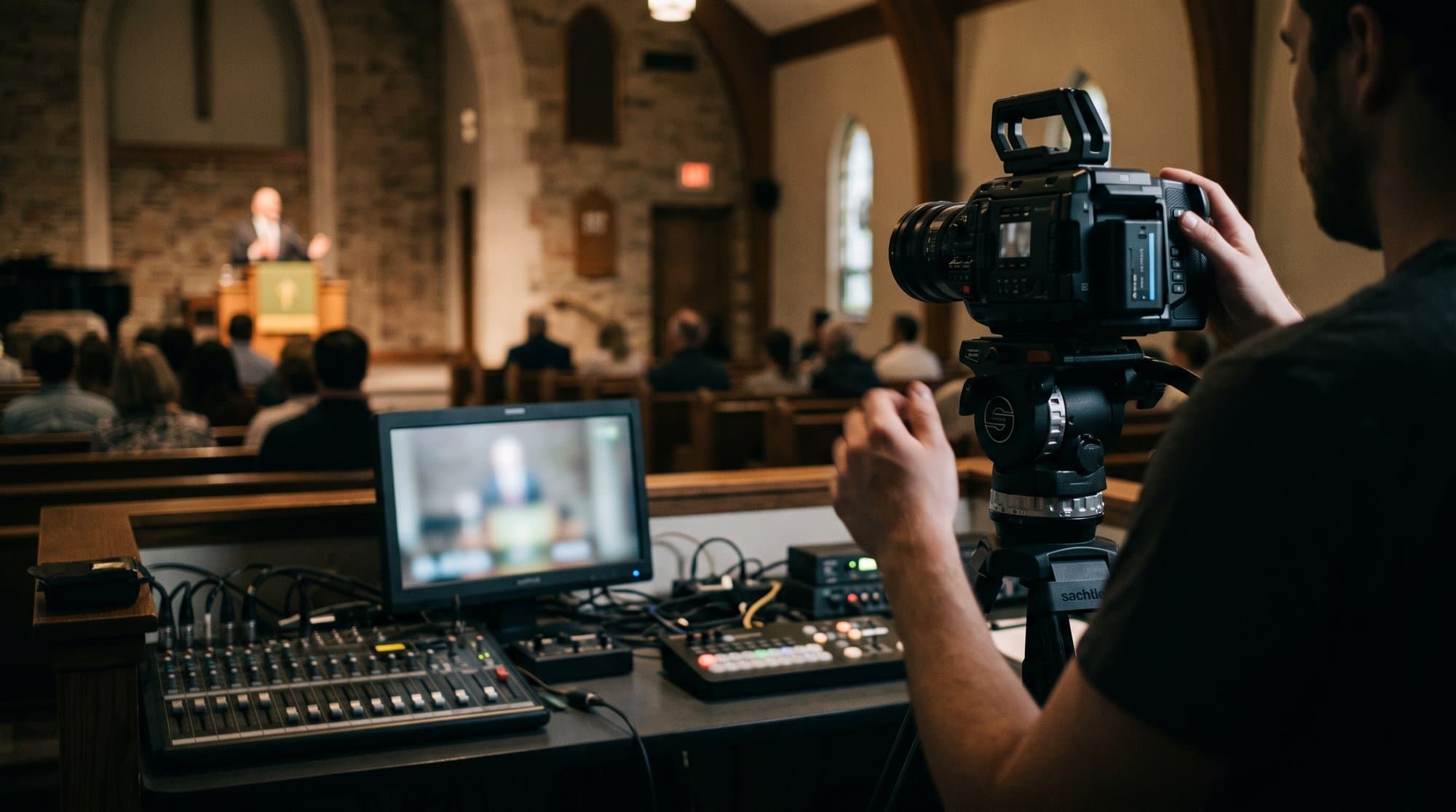
Most spf.io reviews online are either affiliate pages that reword the marketing copy, or one-line comments in a Reddit thread. Neither tells you whether it's right for a church specifically. So here's an actual review: what spf.io is, what it costs, who it suits, and where it falls short for a Sunday-service use case.
Full disclosure: I built Voco, a competing tool in this space.
What spf.io actually is
Spf.io started as a captioning and streaming tool for conferences and online events, not as a church-specific product, and that history shapes what it's good at. Its strength is live captions and AI-generated spoken translation (essentially text-to-speech dubbing) layered onto a live or recorded stream, supporting 100+ languages for captions and translation, and 70+ languages for the spoken audio output specifically.
That's a meaningfully different feature set from a QR-code-to-phone church translation tool. Spf.io is built to sit inside a broadcast pipeline: captions burned into the video, translated audio tracks for different language versions of the same stream, the kind of thing a church with a serious livestream operation needs and a small church with one camera in the corner probably doesn't.
Pricing
Plans start at $199/month, and the model is usage-based on hours and languages rather than a flat seat price. There's no separate per-user or per-listener charge. One-off events are available without a subscription, via a custom quote, and usage beyond your plan's included hours is billed as overage. (Prices checked August 2026, confirm current terms on spf.io before budgeting.)
$199/month is a meaningful starting point for a small church, more than most of the church-specific tools covered in 8 Wordly Alternatives for Churches (2026): Cheaper, Simpler, or Both, several of which start under $50/month or offer a free tier. It's a reasonable price if you're comparing it against enterprise captioning vendors instead of church translation apps, which is really the market spf.io is competing in.
What it's genuinely good at
- Caption quality on recorded and livestreamed content. This is spf.io's home turf, and it shows. If your primary use case is getting accurate, translated captions onto a YouTube upload or a live stream, this is a strong option.
- Text-to-speech dubbed audio. Not every tool on this list offers a genuinely spoken translated track, most rely on the listener's phone reading captions aloud or listening through headphones to a live human-quality voice feed. Spf.io's 70+ language TTS dubbing is a distinct feature worth weighing if that's specifically what you need.
- Broad language coverage for captions, at 100+ languages, competitive with the largest tools in this category.
Where it's weaker for a typical Sunday service
- No church-specific vocabulary training that I could verify. Unlike Voco, Kaleo, or LiveSunday, which all specifically market theological and biblical vocabulary handling, spf.io's public materials focus on general-purpose captioning accuracy, not church-specific terms. Test it against your own sermon audio before assuming it handles "propitiation" as well as a church-first tool would.
- Price relative to church-specific alternatives. At $199/month minimum, it's priced well above Voco (£6 to £12/week), Kaleo ($24 to $149/month), Aurelo (free tier, then €49/month) and most others in this category. That's fine if you need its specific broadcast-pipeline features, and not a good fit if you just need in-room, phone-based live translation for a congregation.
- Built for a different primary use case. A church wanting to hand a QR code to an attendee for real-time translation on their phone during the service is not spf.io's core scenario. It can likely be made to work, but you're paying for broadcast-grade captioning infrastructure to solve a simpler problem.
What testing it against a real service actually involves
If you're seriously considering spf.io, the useful test isn't the demo video on their homepage, it's your own most recent sermon recording, run through their captioning pipeline exactly as you'd deploy it. Upload or stream a real 30-to-40-minute sermon with your pastor's actual voice, pacing and vocabulary, then check three things specifically. First, how the captions handle proper nouns and place names your pastor uses regularly, church name, city, any recurring series titles. Second, how the TTS dubbed audio sounds on names and theological terms, since text-to-speech engines vary enormously in how naturally they render words like "Pentecost" or "Melchizedek" compared with everyday vocabulary. Third, the actual latency between spoken word and captioned or dubbed output landing on screen, since a livestream audience will tolerate a couple of seconds of lag but not much more before it starts to feel disconnected from the visual feed.
None of this is unique to spf.io, every tool in this category deserves the same test, but it matters more here because you're paying a premium price specifically for broadcast-grade output, so it's worth confirming the broadcast-grade claim holds up against your own content before committing to a monthly plan built around hours and languages you might not fully use.
How the overage and usage tracking works
Because spf.io bills on hours and languages rather than a flat seat price, it's worth understanding how usage actually gets tracked before you sign up, not after your first invoice arrives. Hours are generally consumed per language output, so translating one hour of source audio into three target languages simultaneously counts differently depending on the specific plan and setup, similar to the ambiguity worth clarifying with Wordly's own annual-hours model. If your church runs a weekly livestream in English with captions for two additional languages, that's a meaningfully different usage profile than a single-language caption feed, and the gap between those two scenarios can be the difference between comfortably fitting inside your monthly hours and running into overage charges by the third week of the month.
Ask directly, before signing anything, whether overage is billed per-hour at a fixed rate or requires an upgrade to the next tier, and whether unused hours roll over or reset at the end of each billing cycle. Vendors in this space vary considerably on both points, and neither is always obvious from the pricing page alone.
Who spf.io is actually right for
A church, or more likely a multi-site church or ministry network, that livestreams heavily, wants translated captions burned into the recorded and live video for a global online audience, and specifically wants dubbed audio tracks in multiple languages for that streamed content.
Comparison snapshot
| Factor | spf.io | Typical church-specific tool (Voco, Kaleo, Aurelo) |
|---|---|---|
| Starting price | $199/month | Free to ~$50/month |
| Primary use case | Livestream captions + TTS dubbing | In-room, phone-based live translation |
| Theological vocabulary training | Not verified | Yes, on most church-first tools |
| App required for listeners | Not required | Not required (varies by tool) |
| Best fit | Multi-site churches with heavy livestream | Sunday-service congregations |
Key takeaway: spf.io is a legitimate, capable tool, but it's solving a broadcast-captioning problem, not a congregation-translation problem, and the price reflects that. If your church's need is "translate the sermon for the people in the room," most churches will get more value per pound or dollar from a purpose-built church tool.
This was built for the people in the room first.
My father-in-law visits and sits with my wife during the service. The pastor tells a story or lands a joke, the whole room goes up, and he is still sitting there five or ten seconds later waiting for it to reach him. Then it arrives on its own, after everybody else has moved on.
Is it the end of the world? No. Is it beautiful when a person is doing that for him? Yes, genuinely. But there is something different about reading it at the pace of the room. Laughing when the room laughs. Going quiet when the room goes quiet. Responding with everyone else rather than a beat behind them.
That is why speed mattered to me more than almost anything else.
How support and onboarding compare
One thing worth factoring into a $199-plus-per-month decision is what you actually get alongside the software. Enterprise-leaning captioning platforms like spf.io typically come with more hands-on onboarding than a self-serve church tool, since the sales and pricing model already assumes a higher-touch relationship, custom quotes for one-off events being the clearest signal of that. If your church's tech team is small or entirely volunteer-run, that extra hand-holding during setup can be worth real money on its own, particularly for the broadcast-pipeline features like TTS dubbing that have more moving parts to configure correctly than a straightforward QR-code translation tool.
Weigh that against the self-serve, sign-up-and-go model most church-specific tools use, where onboarding is generally a short video and a support email rather than a dedicated setup call. Neither approach is wrong, but it's worth asking directly what onboarding actually includes at spf.io's price point before assuming the higher cost buys you nothing beyond the software itself.
How the free trial and demo process actually works
Spf.io doesn't advertise a self-serve free tier the way several church-specific tools do, which is itself a useful signal about who the product is built for. Instead, the path in is a demo or a custom quote conversation, standard for a tool priced as broadcast infrastructure rather than a consumer subscription. That's not a red flag, but it does mean you can't quietly sign up on a Tuesday night and have captions running by the following Sunday the way you could with a self-serve tool. Budget a sales conversation and a short setup period into your timeline if you're seriously evaluating it, and ask directly during that conversation whether a limited trial period is available before you commit to the $199-plus monthly rate, since that's not always volunteered upfront.
The verdict
Three stars out of five for the average Sunday-service church, five stars if you're a livestream-heavy ministry that specifically needs dubbed, translated audio tracks for an online audience. It's not a bad product. It's a well-built tool aimed at a slightly different problem than most churches researching translation software actually have. Test the free trial or request a demo against your specific use case, in-room translation versus streamed-content captioning, before assuming the fit either way.
And if it's specifically Wordly's quote-based pricing that sent you looking at spf.io as an alternative with a published number, 8 Wordly Alternatives for Churches (2026): Cheaper, Simpler, or Both rounds up seven other options that also publish real prices.
Frequently asked questions
What should churches know about what spf.io actually is?
Spf.io started as a captioning and streaming tool for conferences and online events, not as a church-specific product, and that history shapes what it's good at. Its strength is live captions and AI-generated spoken translation (essentially text-to-speech dubbing) layered onto a live or recorded stream, supporting 100+ languages for captions and translation, and 70+ languages for the spoken audio output specifically.
What should churches know about pricing?
Plans start at $199/month, and the model is usage-based on hours and languages rather than a flat seat price. There's no separate per-user or per-listener charge. One-off events are available without a subscription, via a custom quote, and usage beyond your plan's included hours is billed as overage. (Prices checked August 2026, confirm current terms on spf.io before budgeting.)
What should churches know about what it's genuinely good at?
- Caption quality on recorded and livestreamed content. This is spf.io's home turf, and it shows. If your primary use case is getting accurate, translated captions onto a YouTube upload or a live stream, this is a strong option. - Text-to-speech dubbed audio. Not every tool on this list offers a genuinely spoken translated track, most rely on the listener's phone reading captions aloud or listening through headphones to a live human-quality voice feed. Spf.io's 70+ language TTS dubbing is a dist
What should churches know about where it's weaker for a typical sunday service?
- No church-specific vocabulary training that I could verify. Unlike Voco, Kaleo, or LiveSunday, which all specifically market theological and biblical vocabulary handling, spf.io's public materials focus on general-purpose captioning accuracy, not church-specific terms. Test it against your own sermon audio before assuming it handles "propitiation" as well as a church-first tool would. - Price relative to church-specific alternatives. At $199/month minimum, it's priced well above Voco (£6 to £1
First published on Medium.