2026-09-08 · 6 min read
QR Codes in Church: The Five Uses That Actually Stick (And Three That Died)
Giving, bulletins, translation and check-in survived. Wifi passwords on a screen and scavenger hunts did not.
By Josh Stannard, founder of Voco
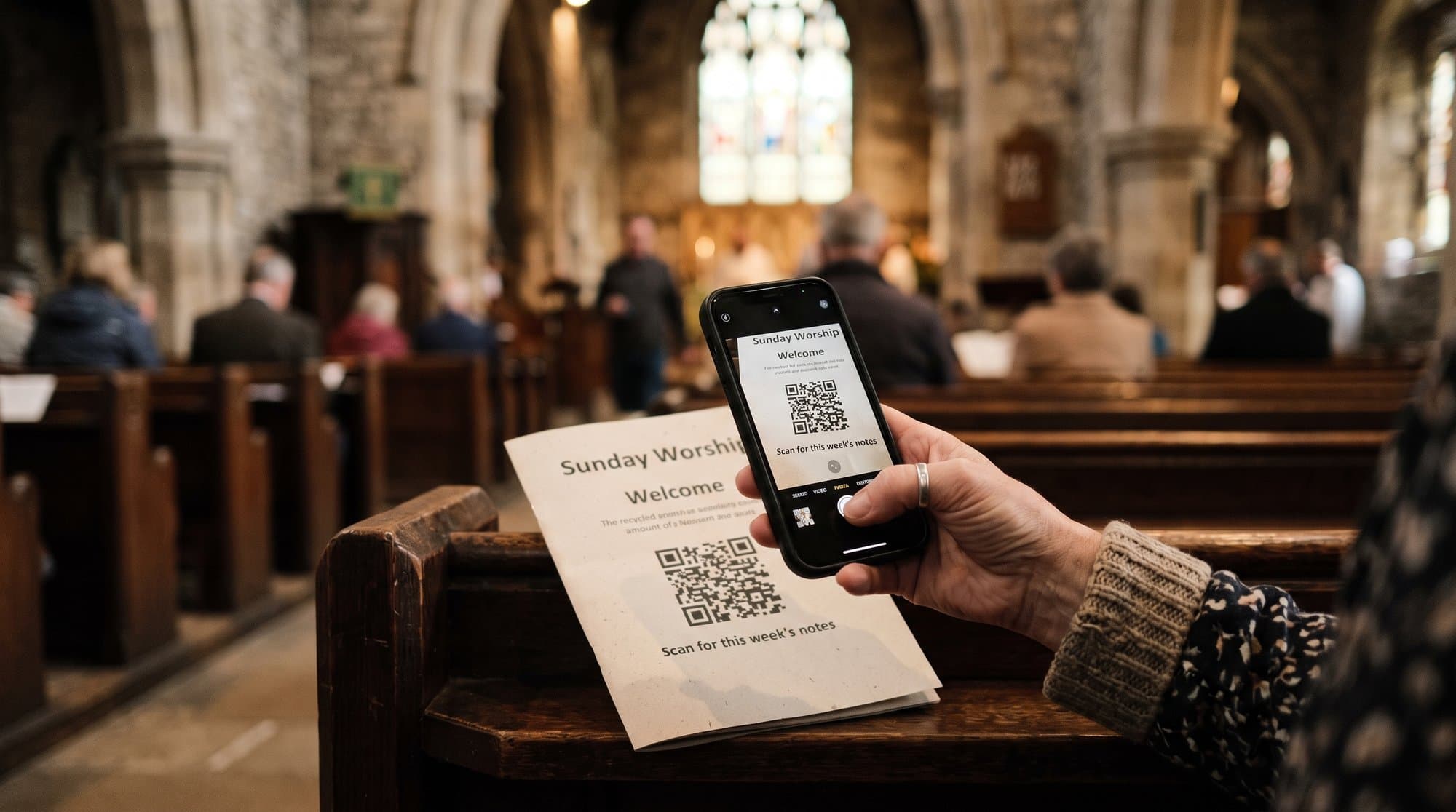
QR codes had a moment in 2020 that everyone assumed was temporary. It wasn't. Six years on, they're one of the few pandemic-era habits that stuck around in ordinary life, and church is one of the places that's benefited most, quietly, without much fanfare.
Here's what actually works in 2026, what's died a quiet death, and the design rules that separate a QR code someone scans from one they squint at and give up on.
Why QR finally stuck
The honest answer is boring: everyone's phone camera can scan one now, natively, without a separate app. That wasn't true a decade ago, when QR codes needed a dedicated scanner app most people didn't bother installing. Once the scanning friction disappeared, the only friction left was whether the thing on the other end was worth the two seconds it took to get there. That's the real filter that separates the five uses below from the three that died: not whether people can scan a code, but whether what happens next earns the scan.
The five that work
Giving
A QR code on the screen or in the bulletin that opens straight to a giving page, pre-filled if the church's platform allows it, removed the single biggest piece of friction in digital giving: finding the app, finding the church, finding the right fund. Scan, type an amount, done. This is the single most common QR use in churches now and arguably the one with the clearest return.
Connect cards
Physical connect cards asked people to write their details with a pen against a hymnbook on their knee. A QR code that opens a two-field form on a phone gets filled in properly, more often, and lands directly in a database instead of a shoebox of illegible handwriting that someone has to type up on Tuesday.
Bulletins
Printing a full order of service, sermon notes and announcements every week is expensive and half of it's out of date by the following Sunday. A QR code linking to a digital bulletin, updated any time, cuts printing cost and lets churches include far more than a paper sheet ever could, without anyone needing to download anything.
Live translation and captions
This is the one with the most obvious church-specific case for existing.
Full disclosure: I built Voco, one of the tools in this category. Voco's whole product is a QR code that opens live captions and translation in a browser, no app, with 200+ supported attendee languages for £6-12 a week depending on plan (prices checked August 2026). There's a free QR slide generator at voco.church/qr-slides if you want to try the pattern below without signing up for anything first.
Event sign-ups
Youth camp forms, small group sign-ups, volunteer rotas: anything that used to be a paper sheet on a table by the door now works better as a code that opens a form. The advantage over a generic "check our website" announcement is specificity: a code on a specific flyer for a specific event goes straight to that event's form, not to a homepage the person then has to hunt through.
The three that died
Wifi passwords on a screen. This felt clever for about a year and then everyone realised most churches don't actually need visitors on the church wifi for anything beyond the app or QR code they're being asked to scan in the first place, which usually works fine on mobile data. The ones that persisted mostly became a source of "why is this still up here" rather than a genuine convenience.
QR-only sermon notes. A few churches tried removing paper sermon-note sheets entirely and replacing them with a code linking to a digital fill-in-the-blanks page. It didn't survive contact with actual congregations: people who take sermon notes tend to want paper, a pen, and something they can flip back through later, and a phone screen competes with the phone's other, more distracting uses in a way paper doesn't. The ones that stuck kept both options rather than forcing a switch.
Gimmick scavenger hunts. A run of churches tried QR-code scavenger hunts around the building, for kids or for whole-family events, hunting for codes hidden around a foyer that unlocked trivia or small prizes. Fun once. The second and third time, attendance at the "hunt" itself dropped off fast, because the novelty was the entire value proposition, and novelty doesn't survive a second outing.
The pattern across all three: they were built around the code being interesting, not around what was on the other end being useful. That's the tell for whether a QR idea will survive contact with a normal Sunday.
There's a milder fourth casualty worth a quick mention: printed QR codes on year-old flyers, still stuck to a noticeboard, pointing at an event that finished eighteen months ago. Not a failed idea exactly, just a maintenance problem nobody assigned to anyone. If a QR code lives somewhere semi-permanent, someone needs to own checking it still goes where it's supposed to, the same way someone owns checking the fire exit signs are still lit.
A quick note on follow-up
Slightly less flashy than the five above, but worth a mention: some churches have started using a QR code after a service, on a card or a screen, to let first-time visitors request a follow-up conversation with a pastor or leader rather than filling in a physical card at a table they might not want to approach in person. It's early days for how well this one sticks, since it depends entirely on someone reliably actioning the requests that come in, but the pattern, lower friction than an in-person ask, is the same one driving everything else on this list.
Design rules
Size. A code needs to be large enough to scan from where people are actually sitting, not from the front row where whoever designed the slide was standing when they checked it. As a rough guide, a code needs roughly one inch of size for every ten feet of scanning distance. A slide viewed from the back of a large room needs a code considerably bigger than most first attempts.
Contrast. Standard black-on-white scans best and fastest. Branded colour schemes look nicer and scan noticeably worse, especially on projector screens where colour rendering varies. If a code has to match the brand, keep the contrast high and test it, don't assume.
Screen placement. A code that's only up for the ten seconds between announcement slides gets missed by anyone who was mid-conversation or mid-sneeze. Keep translation and welcome codes up persistently, on a dedicated slide or a printed card at the entrance, not just flashed once during announcements.
Testing from the back row. This is the step almost everyone skips. Stand at the literal back of the room, phone in hand, and try to scan the code exactly as displayed on the day, same screen, same lighting, same distance. Codes that scan instantly from the AV booth routinely fail from row twenty. Five minutes before the first Sunday you use one, walk to the back and check.
QR codes aren't a gimmick anymore, not because the technology changed but because the friction did. The ones that survive in church use are the ones that make something already worth doing slightly easier to do. The ones that die are the ones where the code itself was the idea.
If you want to try the translation use case specifically, the free QR slide generator at voco.church/qr-slides makes a display-ready slide in a couple of minutes, and the setup walkthrough is at voco.church/resources/qr-code-church-translation-setup.
Frequently asked questions
What should churches know about why qr finally stuck?
The honest answer is boring: everyone's phone camera can scan one now, natively, without a separate app. That wasn't true a decade ago, when QR codes needed a dedicated scanner app most people didn't bother installing. Once the scanning friction disappeared, the only friction left was whether the thing on the other end was worth the two seconds it took to get there. That's the real filter that separates the five uses below from the three that died: not whether people can scan a code, but whether
What should churches know about the five that work?
A QR code on the screen or in the bulletin that opens straight to a giving page, pre-filled if the church's platform allows it, removed the single biggest piece of friction in digital giving: finding the app, finding the church, finding the right fund. Scan, type an amount, done. This is the single most common QR use in churches now and arguably the one with the clearest return.
What should churches know about the three that died?
Wifi passwords on a screen. This felt clever for about a year and then everyone realised most churches don't actually need visitors on the church wifi for anything beyond the app or QR code they're being asked to scan in the first place, which usually works fine on mobile data. The ones that persisted mostly became a source of "why is this still up here" rather than a genuine convenience.
What should churches know about a quick note on follow-up?
Slightly less flashy than the five above, but worth a mention: some churches have started using a QR code after a service, on a card or a screen, to let first-time visitors request a follow-up conversation with a pastor or leader rather than filling in a physical card at a table they might not want to approach in person. It's early days for how well this one sticks, since it depends entirely on someone reliably actioning the requests that come in, but the pattern, lower friction than an in-perso
First published on Medium.