2026-09-16 · 8 min read
Live Captions for Church Services: The Complete Setup Guide
How to get real, readable captions running in the room and on the livestream, with the costs and accuracy tricks nobody mentions upfront.
By Josh Stannard, founder of Voco
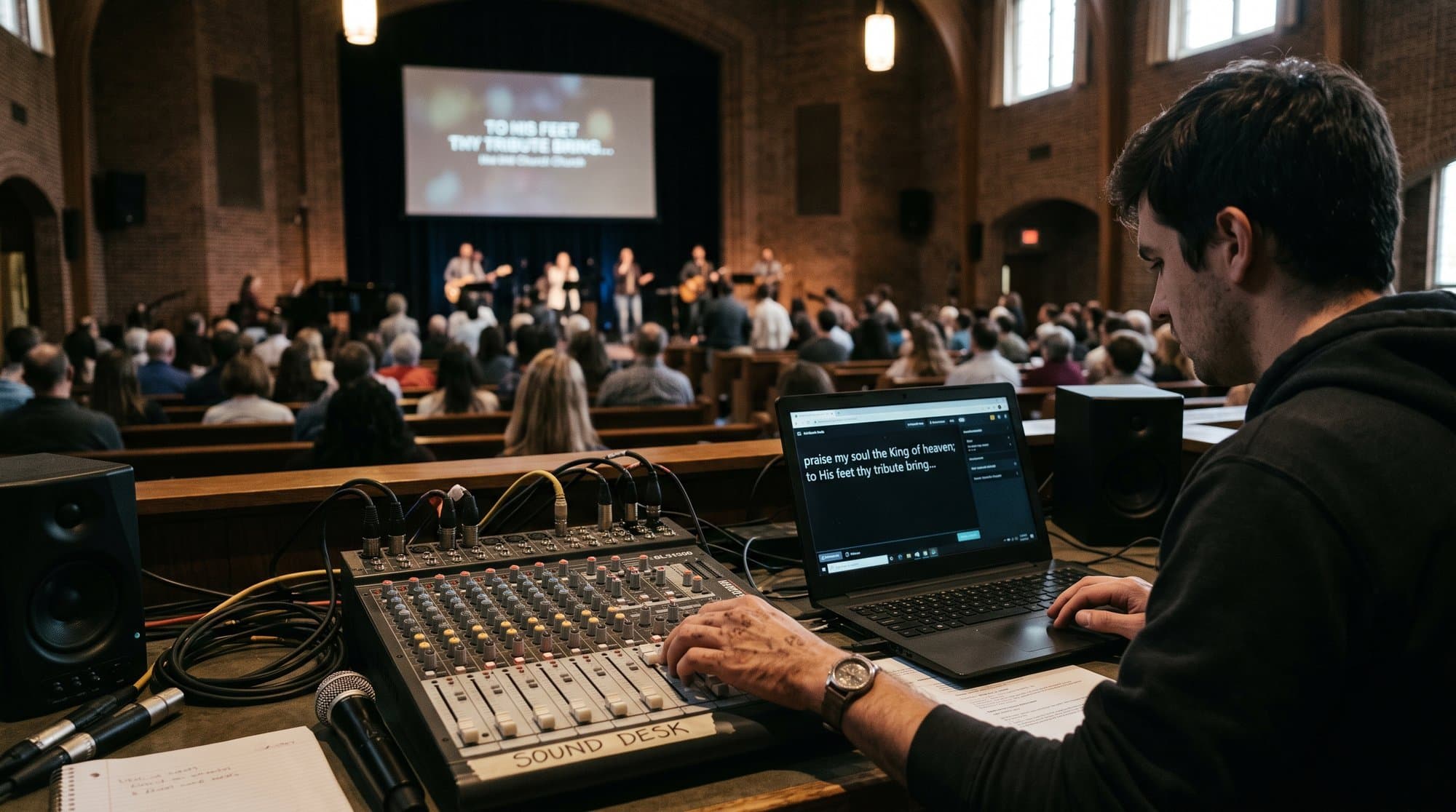
Someone in your congregation can't hear the sermon properly, and someone else is watching the livestream on mute because the baby's finally asleep. Captions solve both problems, and they're the same problem from a tech setup point of view, but most churches only solve one of them, usually by accident.
This is the complete setup guide for live captions for a church service, covering in-room captions, livestream captions, and the case for doing both from one pipeline. It also covers the thing that actually determines whether captions are useful or embarrassing: audio quality.
The short version: church livestream captions in multiple languages is a search people are already typing into Google, and the tools to deliver it are simpler than the phrase makes it sound.
In-room vs livestream captions: different problems, different tools
These get lumped together but they're not the same job.
In-room captions need to appear somewhere a seated person can see them without craning their neck: a screen at the front, a confidence monitor, or increasingly, a phone in their own hand via a QR code. Latency matters less here than reliability. A caption that's two seconds behind is fine. A caption feed that drops mid-sermon is not.
Livestream captions are baked into (or overlaid on top of) the video signal that leaves the building. They need to work inside whatever platform delivers the stream, YouTube, Facebook, a church's own site, and they need to survive the encode-and-re-encode process that streaming puts video through. Some platforms (YouTube, in particular) offer native auto-captions, which are free but rough, especially with preaching cadence, scripture references and names.
Most churches eventually want both, from one source, because running two separate captioning setups is double the failure points on a Sunday morning.
In-room setup: screens, phones, and placement
Three ways to display captions in the room, roughly in order of cost:
A shared screen. Whatever you already project slides on can show a caption feed as a lower third or a dedicated caption block. Cheapest to set up if you already have the screen and no ongoing hardware cost, but it's a fixed size in a fixed place, which doesn't help someone sitting behind a pillar or someone who'd rather read privately than have text floating over the worship slides.
A dedicated caption monitor. A second screen, often a repurposed TV, positioned somewhere specific, near the back, in an overflow area, angled for a hard-of-hearing section. Solves the "everyone sees the same thing" problem of a shared screen but adds hardware and a mount.
Phone-via-QR. A QR code on screen or on a printed card that opens captions in a browser on someone's own phone. No app, no download, no extra screen to buy or mount. The tradeoff is that it depends on people having a phone and reasonable data or wifi, which is true for most but not all congregations, and it's worth having a screen option too for anyone who doesn't.
Placement matters more than people expect. A caption screen mounted where it competes with the pulpit for attention will get turned off by someone within a month, because it becomes a distraction rather than an aid. Off to the side, at a natural eye-line, works better than dead centre above the stage.
Livestream captions: platform-native vs overlay vs browser-source
Platform-native captions (YouTube's or Facebook's built-in auto-captions) are free and require zero setup beyond enabling the option. They're also frequently wrong on theological vocabulary, names and scripture references, because the underlying speech models aren't trained on church language. Fine as a baseline. Not great as the only option if accuracy matters to your deaf and hard-of-hearing members, who are exactly the people relying on those captions being right.
Overlay captions burned into the source video work through your streaming software (OBS, vMix, Streamlabs) as a layer added before the stream goes out, so viewers on any platform see the same captions regardless of what that platform's native tools do. This is where a browser-source overlay comes in: a live captioning service generates a webpage that updates in real time, and your streaming software displays that page as a transparent layer over your video feed. The OBS side of this is worth walking through carefully, and it's the same principle in vMix or Streamlabs.
Browser-source captions are the same idea from the viewer's side: instead of (or as well as) burning captions into the outgoing stream, you make the same caption feed available as a link people can open in their own browser, so someone watching at home in a second language, or someone who wants larger text than the stream shows, can get their own version.
Multilingual captions: the both/and
Here's where captions and translation stop being two separate projects. If the underlying pipeline generating your captions is a live speech-to-text engine, adding a second (or fiftieth) output language is a configuration choice, not a second system. The same spoken sermon becomes English captions for a hard-of-hearing member in row twelve and Polish captions for a visiting family in row three, from one microphone feed.
This is worth naming clearly, because "church livestream captions multiple languages" is a search a lot of tech volunteers end up typing at 11pm on a Thursday, and most of what they find treats captioning and translation as two products to buy and two systems to keep running. They don't need to be. A single speech-to-text pipeline can output as many language streams as the underlying engine supports, each one just a different setting, not a different piece of software bolted on afterwards. That matters practically: one audio input, one point of failure to troubleshoot, one thing to test on a Tuesday rather than two.
The distinction matters for who's being served, too. A hard-of-hearing English speaker and a Spanish-speaking visitor have completely different needs on paper, but the setup underneath is identical: get clean audio in, get accurate text out, display it somewhere the person can reach without downloading anything. Once a church builds that pipeline once, adding a language for a visiting family costs nothing extra in complexity, only in which option gets selected on a dropdown.
Full disclosure: I built Voco, one of the tools mentioned in this article. Voco runs exactly this both/and: live captions and translation into 200+ attendee languages from a single audio pipeline, no app required, just a QR code that opens a browser. It handles the accessibility use case and the visitor-language use case from the same setup, which is the honest reason it's worth mentioning here rather than treating captions and translation as separate purchases.
Accuracy: the audio chain and boosted vocabulary
Captions are only as good as the audio feeding them, and this is the part most churches get wrong on the first attempt. A laptop's built-in mic picking up room echo from six metres away will produce captions that embarrass everyone. A clean feed direct from the sound desk, USB or aux out, produces captions good enough that people stop noticing they're reading rather than listening.
The other accuracy factor is vocabulary. Generic speech-to-text struggles with "Nehemiah," "propitiation," and half the proper nouns in a typical sermon, because those words are rare in the data most speech models are trained on. Captioning tools built for church use typically let you add a boosted vocabulary list, names, place names, book titles, so the engine weights toward the words your preacher actually says. It's a five-minute setup step that makes a disproportionate difference.
What breaks in the first month
Almost nothing about live captioning goes wrong in testing and then goes wrong for real reasons on a Sunday. A few patterns worth knowing before they catch you out.
Wifi drops matter more than people expect if your setup depends on a browser-source overlay pulling from an internet connection rather than a local feed. A church building with thick walls and one router in the office can have a noticeably weaker signal at the sound desk than in the foyer, so test where the actual hardware lives, not where the wifi is strongest.
Volume changes between the pre-service announcements, the sermon, and the worship set will confuse a captioning engine that isn't given a consistent feed. If your desk sends music and speech down the same channel at wildly different levels, expect captions to lag or garble during the loudest worship moments. A dedicated feed just for the speech mic, separate from the music bus, avoids most of this.
And the single most common failure: someone unplugs or mutes the source mic between the sermon and the next segment, forgetting the captioning software is still listening to that channel. Captions freeze, someone in the congregation notices before the tech team does, and it's an easy, boring fix once you know to check it.
Getting started
If you're setting this up for the first time this month:
- Decide whether you need in-room, livestream, or both. Most churches end up wanting both eventually, so plan for it even if you start with one.
- Get a clean audio feed from the sound desk before you touch captioning software. This fixes more caption problems than any setting inside the software will.
- Pick a display method for the room: screen, dedicated monitor, or QR-to-phone. QR-to-phone is the cheapest to start and the easiest to test on a normal Sunday without installing anything.
- If multilingual matters to your church, check whether your captioning tool handles translation from the same feed, rather than buying two separate tools.
- Test with a real service, not a silent room. Audio behaves differently with a congregation, a fan, and a preacher who moves around.
Live captions are one of the fastest, cheapest accessibility and welcome improvements a church can make this year. Get the audio right first, and the rest follows.
One more honest note before you commit: captions help enormously, and they're not the whole accessibility picture.
You can see Voco's captioning setup, including the multilingual side and how it displays via a QR code without an app, at voco.church/learn/live-subtitles-church-livestream. Setup documentation for deaf and hard-of-hearing captioning specifically is at voco.church/docs/deaf-hoh-captioning, and display overlay options are covered at voco.church/docs/display-overlays.
Frequently asked questions
What should churches know about in-room vs livestream captions: different problems, different tools?
In-room captions need to appear somewhere a seated person can see them without craning their neck: a screen at the front, a confidence monitor, or increasingly, a phone in their own hand via a QR code. Latency matters less here than reliability. A caption that's two seconds behind is fine. A caption feed that drops mid-sermon is not.
What should churches know about in-room setup: screens, phones, and placement?
Three ways to display captions in the room, roughly in order of cost:
What should churches know about livestream captions: platform-native vs overlay vs browser-source?
Platform-native captions (YouTube's or Facebook's built-in auto-captions) are free and require zero setup beyond enabling the option. They're also frequently wrong on theological vocabulary, names and scripture references, because the underlying speech models aren't trained on church language. Fine as a baseline. Not great as the only option if accuracy matters to your deaf and hard-of-hearing members, who are exactly the people relying on those captions being right.
What should churches know about multilingual captions: the both/and?
Here's where captions and translation stop being two separate projects. If the underlying pipeline generating your captions is a live speech-to-text engine, adding a second (or fiftieth) output language is a configuration choice, not a second system. The same spoken sermon becomes English captions for a hard-of-hearing member in row twelve and Polish captions for a visiting family in row three, from one microphone feed.
First published on Medium.