2026-09-03 · 7 min read
Church Translation Without an App: Why QR Codes Won
The best church translation tools in 2026 don't ask visitors to download anything. Here's why that decision matters more than the language count.
By Josh Stannard, founder of Voco
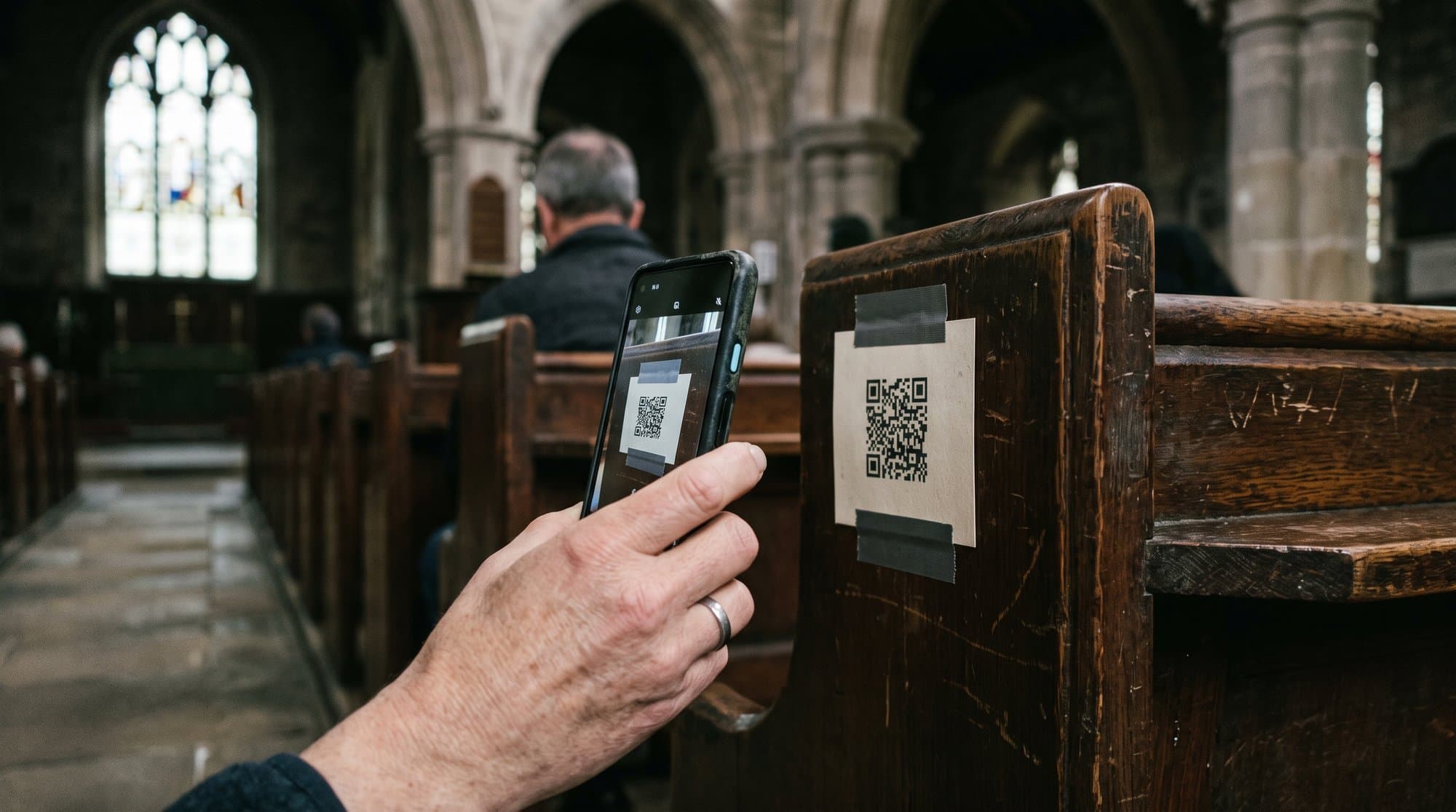
Ask a first-time visitor to download an app before they can follow the sermon, and a meaningful number of them won't. Not because they're uninterested, but because downloading an app mid-service, on unfamiliar WiFi, while trying not to look lost, is exactly the kind of friction that makes people quietly give up and just sit there.
That's the entire case for QR-code, browser-based translation over app-based translation. It sounds like a small technical detail. In practice it's the difference between a tool that actually gets used by the people who need it most and one that gets used by the tech team during testing and nobody else.
Full disclosure: I built Voco, one of the no-app tools mentioned here.
How the two models actually work
App-based tools ask the listener to find the app in their phone's store, download it, often create an account or grant permissions, then search for or scan into the specific church's session. Interactio's House of Worship product works this way. Glossa does too, according to its Google Play listing.
QR-code, browser-based tools ask the listener to point their phone's camera at a printed code, tap the link that pops up, and the translation opens directly in their existing browser, no install, no account. Voco, Kaleo AI, OneAccord, Hope Translator and Aurelo all work this way, based on their own published product descriptions.
The technology behind both is broadly similar: audio captured from the church's sound system, transcribed, translated, and delivered to a phone. The difference is entirely in that first thirty seconds of the visitor's experience.
Why the first thirty seconds decide everything
Consider who's actually scanning that code. Voco's whole design starts from that person. It's rarely the confident, tech-comfortable regular who's been coming for years. It's usually a first-time visitor, someone who speaks limited English, someone who's already a little nervous about being somewhere new. Asking that specific person to navigate an app store, wait for a download, and figure out account creation, in a language they may not read fluently, is asking a lot at exactly the wrong moment.
Picture the slide. Speech bubbles saying hola, bienvenido, konnichiwa, velkommen, and a QR code underneath that says listen in your own language. Almost anybody can navigate that much English, and the moment they have scanned it the next thing they see is their own language in a list, or their own flag.
That is the whole journey. Point the camera, tap your language, you are in. No app store, no download, no account, nothing to set up while the service is starting around you. The person we are designing for is already a little nervous about being there. Every extra step is one more chance for them to decide it is not worth the bother.
A QR code removes almost every one of those steps. Scan, tap, listen or read. If it doesn't work in ten seconds, most people assume it's broken and give up, so the browser-based model is the version that actually survives contact with a real, distracted, slightly anxious human being.
The trade-offs, honestly
No-app isn't free of downsides, and it's worth naming them rather than pretending the browser route is perfect.
- Bluetooth hearing aid streaming typically needs an app, because browsers don't have the same low-level device access. Kaleo AI, for instance, offers an optional iOS app specifically for this, layered on top of its otherwise browser-based product. If a hard-of-hearing member needs direct hearing-aid streaming rather than headphones or reading captions, check whether your chosen tool has an app option for that specific case, even if it's app-free for everyone else.
- Persistent settings and history are easier inside an app. A browser session usually resets each time, which is a minor inconvenience for someone who wants to keep a saved language preference week to week.
- Offline resilience can, in principle, be handled better by a native app with caching. In practice, most church translation is inherently live and needs a live connection regardless of app or browser, so this is a smaller factor than it might first appear.
None of these outweigh the friction cost of a mandatory app download for the average first-time visitor, but they're worth knowing before you assume no-app is strictly better in every dimension.
What to check before assuming a tool is app-free
Marketing copy sometimes blurs the line. A few things worth confirming directly:
- Does the core experience require an app, or is the app optional for extra features like hearing-aid streaming?
- Does the QR code work in any mobile browser, or only specific ones?
- Is there a fallback for attendees without a smartphone at all, such as a shared device or printed instructions?
- Does the browser session reconnect automatically if WiFi drops mid-sentence, or does the listener need to rescan?
That last point matters more than it sounds. A tool that reconnects and backfills missed text after a WiFi hiccup is a meaningfully better experience than one that just leaves a gap, and it's a fair question to ask on any trial call regardless of which tool you're evaluating.
Which tools require an app, and which don't
| Tool | Core experience app-free? | Notes |
|---|---|---|
| Voco | Yes | QR code to browser, no app at any tier |
| Kaleo AI | Yes | Optional iOS app for Bluetooth hearing-aid streaming only |
| OneAccord | Yes | QR code to browser |
| Hope Translator | Yes | App optional, not required |
| Aurelo | Yes | Browser-based, no app, no hardware beyond a laptop |
| Interactio (House of Worship) | No | App required to listen |
| Glossa | No | App required, per its own store listing |
| LiveSunday | Yes | Browser-based via QR code |
| spf.io | Not primarily consumer-facing in this way | Built for captioning/streaming pipelines |
| Wordly | Yes | QR code or link, no app |
Key takeaway: most of the newer, church-specific tools have converged on the no-app model, while a couple of the more established interpretation-platform tools still require an install. If avoiding app friction is a priority for your congregation, that's a genuinely useful filter to apply before you even look at pricing.
What this means for how you print and place the code
The QR code itself deserves more thought than it usually gets, because a code that's technically app-free but poorly placed recreates the same friction problem it was meant to solve. Print it large enough to scan from a normal seated distance, not a business-card-sized sticker tucked into a bulletin someone has to hold at arm's length. Place it somewhere a first-time visitor will actually see it without being told, on the pew back, on a screen before the service starts, on a printed card handed out at the door, rather than buried on a slide that flashes past in the announcements. And include a short, plain-language instruction next to the code itself, "Scan for translation in your language," rather than assuming the QR code alone communicates what it does to someone unfamiliar with the format.
A few churches running this well use two placements at once: a static code on the pew or seat back for anyone who arrives early and wants to set up before the service starts, and a second code on the welcome screen at the very beginning of the service for anyone who missed the first one or arrived a few minutes late. That redundancy costs nothing and catches a meaningful number of people who'd otherwise sit through the first ten minutes without realizing the option existed.
The bigger point
This isn't really about QR codes as a technology. It's about designing for the person least likely to persevere through friction, because that person is disproportionately the one your translation tool exists for in the first place. A regular attendee who's fluent in English was never the target audience for this feature. The visitor who speaks limited English, walks in nervous, and needs to know within thirty seconds whether this church has thought about them, is.
According to Pew Research, immigrant churchgoers are considerably more likely than native-born members to say they'd prefer worship services in their own language, and that preference is strongest among people who are newest to a congregation, exactly the visitors least likely to tolerate an app download. Removing that one piece of friction is a small technical choice with an outsized effect on whether the whole feature gets used at all.
Frequently asked questions
What should churches know about how the two models actually work?
App-based tools ask the listener to find the app in their phone's store, download it, often create an account or grant permissions, then search for or scan into the specific church's session. Interactio's House of Worship product works this way. Glossa does too, according to its Google Play listing.
What should churches know about why the first thirty seconds decide everything?
Consider who's actually scanning that code. Voco's whole design starts from that person. It's rarely the confident, tech-comfortable regular who's been coming for years. It's usually a first-time visitor, someone who speaks limited English, someone who's already a little nervous about being somewhere new. Asking that specific person to navigate an app store, wait for a download, and figure out account creation, in a language they may not read fluently, is asking a lot at exactly the wrong moment
What should churches know about the trade-offs, honestly?
No-app isn't free of downsides, and it's worth naming them rather than pretending the browser route is perfect.
What should churches know about what to check before assuming a tool is app-free?
Marketing copy sometimes blurs the line. A few things worth confirming directly:
First published on Medium.